• Security teams today face more alerts than they can count. Each one might represent a potential threat, but reviewing them all takes time. The longer it takes to respond, the greater the risk. That is where SOAR comes in.

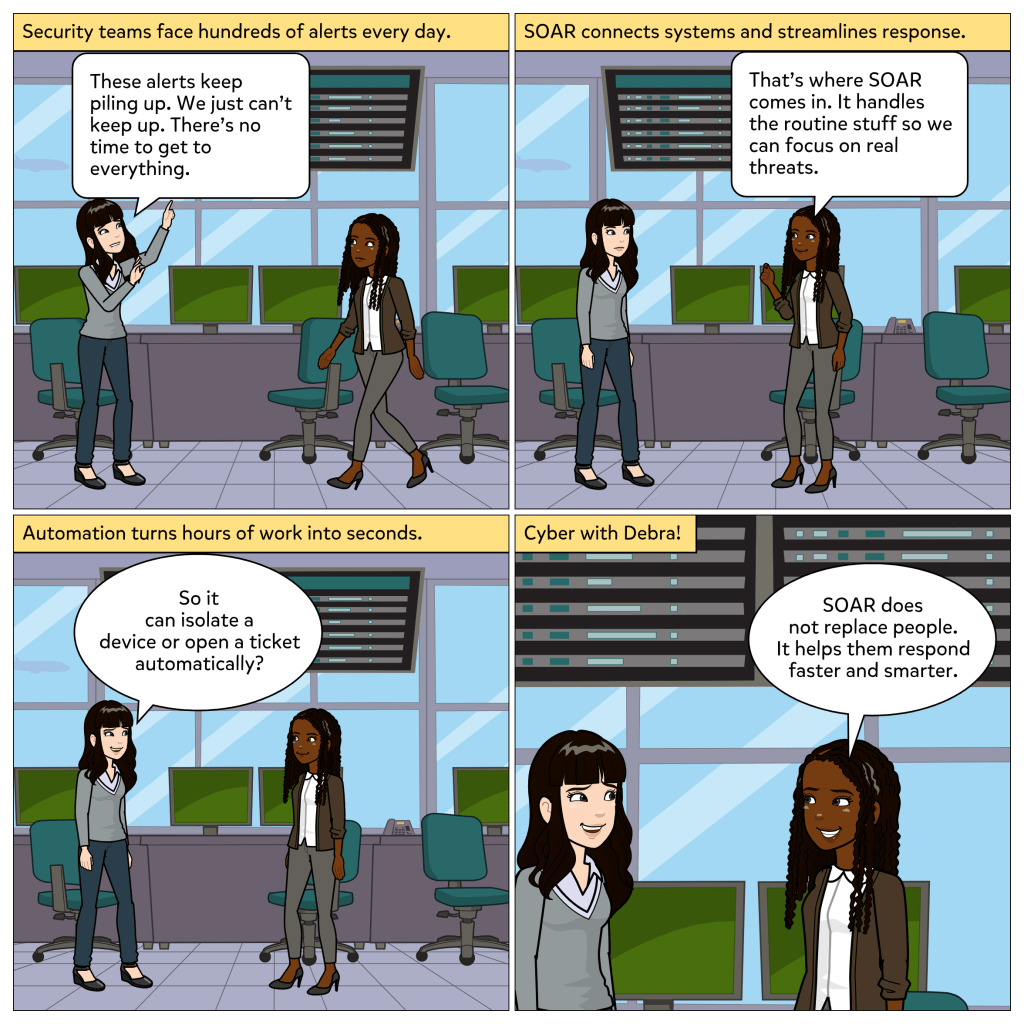
    SOAR stands for Security Orchestration, Automation, and Response. It helps organizations manage alerts by connecting tools, automating repetitive steps, and coordinating how teams respond. Instead of getting buried in notifications, analysts can focus on the alerts that matter most.

    In this week’s comic, Maria feels overwhelmed by the constant flow of alerts. Debra explains how SOAR handles the routine work, like opening tickets or isolating a suspicious device, so the team can move faster. Together, they show how automation supports people, not replaces them.

    What SOAR actually does
    SOAR combines information from tools like SIEM systems, firewalls, and endpoint protection platforms. It uses workflows, sometimes called playbooks, to perform certain tasks automatically.

    With SOAR, teams can:

    • Automate simple but time-consuming actions, such as blocking IPs or collecting logs
    • Orchestrate different tools so they work together instead of separately
    • Respond consistently to incidents using structured workflows
    • Improve efficiency by saving time on repetitive steps

    Why it matters
    Even the best analysts can only handle so much. SOAR makes security operations more efficient by reducing alert fatigue and ensuring quick, consistent responses. It does not replace human judgment but strengthens it by removing the repetitive noise that slows analysts down.

    In fast-moving industries like finance and healthcare, that speed matters. Automated responses keep systems resilient and ensure threats are handled before they spread.

    Everyday takeaway
    Think of SOAR like an automated assistant in a busy office. Instead of manually sorting every document or email, the assistant organizes them so you can focus on what really needs your attention. The work still gets done, just smarter.

    Automation does not take away from the human side of security. It gives people more time to think, plan, and protect.

    Thank you for reading. I hope you have subscribed. Let me know in the comments what routine task you wish could be automated in your daily work. ⚙️

  • In cybersecurity, trust without verification is a risk few organizations can afford. The idea that everyone inside a network is automatically safe no longer holds up. That is why more industries, including banking, are turning to a Zero Trust approach.

    Zero Trust means no one is trusted automatically. Every user, device, and connection must verify who they are before gaining access. It is not about suspicion. It is about assurance.

    In this week’s comic, Debra and Ray walk through a bank where security depends on constant verification. Ray is surprised that even employees must reverify to move between areas. Debra explains that this is the point of Zero Trust, protecting data by confirming access at every step.

    What Zero Trust really means
    Zero Trust is built on a straightforward principle, never trust, always verify. It recognizes that modern threats can come from anywhere, even from inside an organization. The model focuses on controlling access, validating identity, and monitoring activity continuously.

    A strong Zero Trust framework often includes:

    • Identity verification using methods like multi-factor authentication
    • Device validation to confirm systems are updated and secure
    • Least privilege access so users only have the permissions they need
    • Ongoing monitoring to detect and respond to unusual behavior

    Why it matters
    In sectors like banking or healthcare, where information is sensitive and regulated, Zero Trust limits the damage one compromised account or device can cause. It replaces broad, open access with a model built on context and verification.

    Zero Trust works because it closes gaps quietly and consistently. It is less about walls and more about awareness, knowing who is connected, what they are doing, and why.

    Everyday takeaway
    Think of it like walking through different parts of a bank. Even as an employee, you cannot enter every area without checking in first. Those extra steps protect the vault, the data, and everyone who depends on them.

    Zero Trust brings that same discipline to cybersecurity. It turns verification into protection, one access request at a time.

    Thank you for reading. I hope you have subscribed. Let me know in the comments how your view of trust has evolved in the digital age. 🔐

  • Every system, device, and application has weaknesses that can be discovered and fixed. The key is finding them before attackers do. That is what vulnerability management is all about.

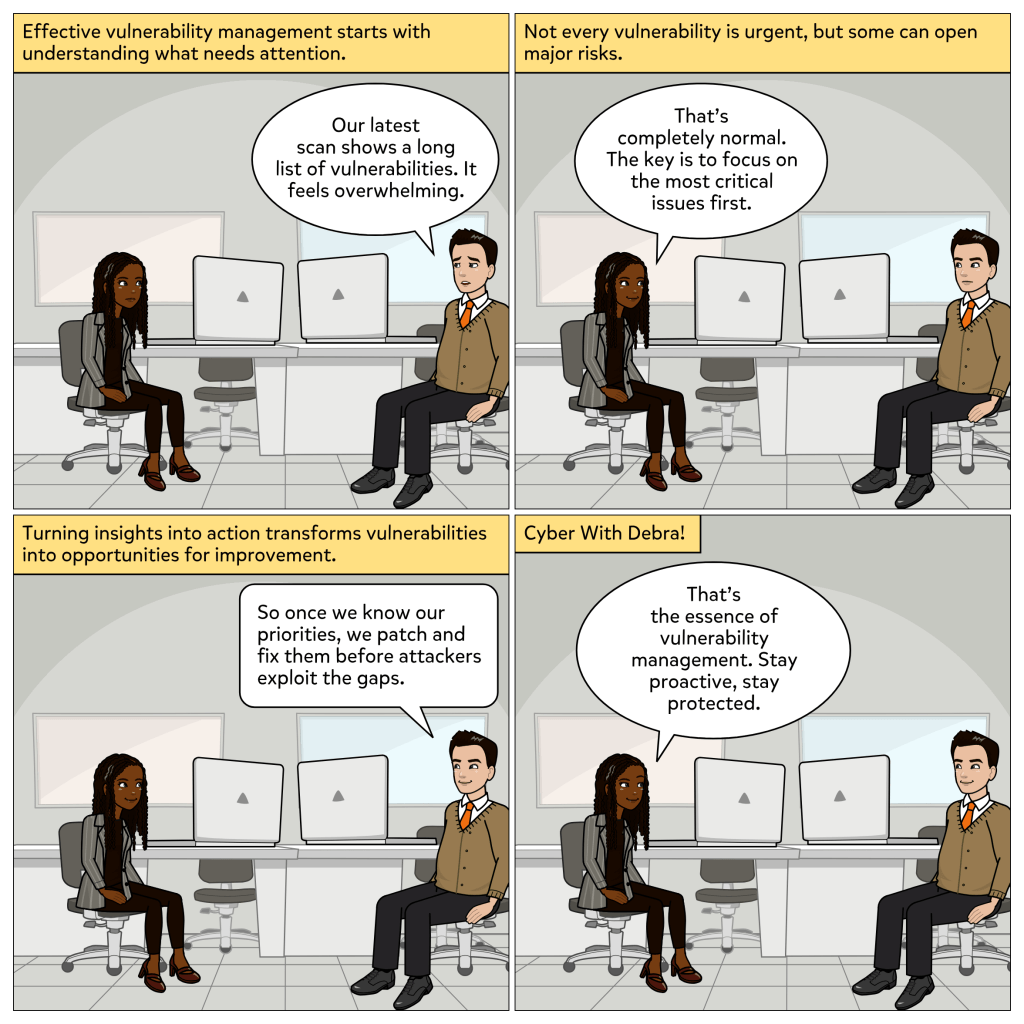
    In this week’s comic, Joe feels overwhelmed by a long list of vulnerabilities from a system scan. Debra explains that this is completely normal. Not every issue is urgent, but some can open serious risks if ignored. Together, they walk through how prioritizing, patching, and staying proactive keeps a network secure.

    What vulnerability management does
    Vulnerability management is the process of identifying, assessing, prioritizing, and fixing weaknesses across systems and devices. It is a continuous cycle, not a one-time task.

    The process usually involves:

    • Scanning systems to find known weaknesses or outdated software.
    • Prioritizing issues based on their level of risk or exposure.
    • Patching or mitigating those vulnerabilities before they can be exploited.
    • Reviewing regularly to make sure new risks are addressed as they appear.

    Vulnerability management tools can automate scans and help track what has been fixed, but human judgment is still key. Security teams decide which vulnerabilities matter most to their environment and act accordingly.

    Why it matters
    Attackers often look for the simplest path in, such as an unpatched system, an outdated program, or a forgotten server. By keeping systems up to date, organizations remove many of those easy opportunities.

    Vulnerability management does not just fix problems. It helps teams understand their systems better, plan updates more strategically, and strengthen their overall defense.

    Everyday takeaway
    Think of it like maintaining a building. Cracks in the wall or loose bolts might not cause immediate damage, but ignoring them makes the structure weaker over time. Routine checks and quick fixes prevent bigger issues later.

    The same principle applies to cybersecurity. Regular scanning, reviewing, and updating keep your digital environment strong and resilient.

    Thank you for reading. I hope you have subscribed. Let me know in the comments how you stay proactive about updates and security in your daily work. 🧱

  • Security data comes from everywhere, including firewalls, servers, endpoints, cloud platforms, and user activity. Each tool generates its own alerts and logs, but seeing how those pieces fit together is the challenge. That is where SIEM, or Security Information and Event Management, comes in.

    In this week’s comic, Joe and Maria talk about that very problem. They have tools collecting data across their environment, but it is hard to tell what connects. Maria explains correlation, how logs, alerts, and events are all part of the same story. Once everything is viewed together, patterns begin to emerge. Then Debra ties it all together, explaining how SIEM gives security teams the visibility and speed they need to respond faster.

    What SIEM actually does
    A SIEM system gathers logs and alerts from across an organization’s network, analyzes them, and identifies activity that might indicate a threat. Instead of looking at each alert separately, the SIEM helps analysts see the full picture and how one small event might link to another.

    With SIEM, teams can:

    • Collect data from many sources such as firewalls, servers, and applications.
    • Correlate events to find connections that may point to an attack.
    • Alert analysts in real time when patterns look suspicious.
    • Report on trends to help improve security over time.

    Some of the most well-known SIEM tools in use today include Splunk, IBM QRadar, Microsoft Sentinel, Wazuh, and Elastic Security. Each platform works a little differently but they share the same goal, giving teams visibility and context across their environment.

    Why it matters
    When alerts come from many directions, it is easy to miss the bigger story. A failed login here, a strange network request there, or an unexpected file change somewhere else may not seem serious on its own. But when combined, they can reveal a coordinated attack.

    That is why SIEM is often called the command center of cybersecurity. It turns data into insight and helps security teams move from reacting to predicting.

    Everyday takeaway
    Think of SIEM like the central control room in a busy building. Cameras, alarms, and sensors all feed into one screen so nothing is overlooked. It is not about adding more tools but about bringing clarity to what you already have.

    Visibility brings understanding, and understanding leads to action.

    Thank you for reading. I hope you have subscribed. Let me know in the comments how you think visibility shapes better response in security. 🧩

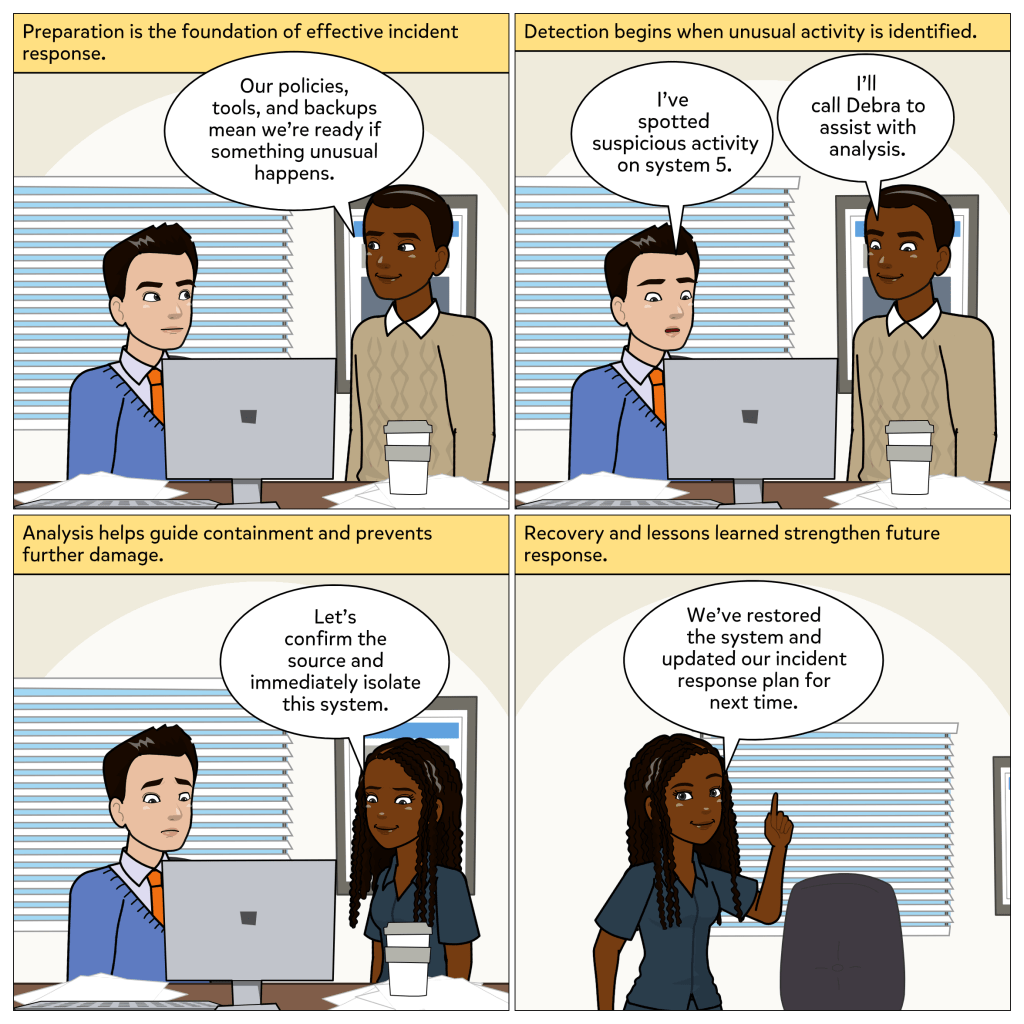
  • In cybersecurity, we spend a lot of time talking about prevention, with firewalls, encryption, segmentation, and endpoint security. But what happens when something slips through? That is where incident response comes in.

    Incident response is the plan for how teams identify, contain, and recover from security incidents. It is not about panicking when something unusual happens. It is about having a process that keeps small problems from turning into major disasters.

    In this week’s comic, the team walks through the flow of incident response, showing how preparation, detection, analysis, containment, recovery, and lessons learned all come together.

    Preparation
    Preparation is the foundation. Policies, tools, and backups put you in a stronger position before an incident ever happens. Without preparation, every response is slower and riskier. Being ready makes all the difference.

    Detection
    The response process really begins when suspicious activity is identified. That could be an alert from a system, unusual behavior spotted by an analyst, or even a report from a user. Early detection buys time. The sooner something is noticed, the faster a response can begin.

    Analysis and Containment
    Once something is detected, the next step is to confirm what is happening and take action to stop the spread. This is where analysis comes in. Logs are reviewed, alerts are examined, and the team decides how to contain the problem. Containment prevents a local issue from becoming a system-wide crisis.

    Recovery and Lessons Learned
    Once the immediate problem is contained, recovery focuses on restoring systems and making sure they are safe to use again. But recovery is not the end. A strong incident response plan always includes lessons learned. Each incident becomes an opportunity to strengthen the process so the team is better prepared next time.

    Everyday takeaway
    Think of it like handling a kitchen fire. Preparation means having a fire extinguisher. Detection is noticing smoke or flames. Analysis and containment is grabbing the extinguisher and putting out the fire before it spreads. Recovery is cleaning up and replacing what was damaged. Lessons learned might be updating the smoke detectors or storing flammable items more safely.

    Cybersecurity incidents may look different, but the principle is the same. Preparation and process turn chaos into control.

    Thank you for reading. I hope you have subscribed. Let me know in the comments what part of the response process stood out to you the most. 📝

  • Every device you use to get work done is an endpoint, whether it is a phone, tablet, or computer. And attackers know it. If they can compromise just one, they can often move deeper into the network. That is why endpoints are such high-value targets in cybersecurity.

    In this week’s comic, we see what happens when someone clicks on what looks like a harmless email attachment. At first, it seems like a free gift card is only one click away. But almost instantly, the computer locks up. That single action opens the door for an attack. The user realizes how much damage one email can cause. Then Debra steps in to explain what makes endpoint security so important: it guards your devices, blocks bad files, and prevents one mistake from becoming a disaster.

    What endpoint security does
    Endpoint security is not just antivirus software. It is a set of protections designed to keep the laptops, desktops, tablets, and phones we use every day from becoming the weak link. These protections can include:

    • Antivirus and anti-malware to detect and stop harmful files.
    • Endpoint Detection and Response (EDR) to monitor behavior, catch suspicious activity, and isolate compromised devices.
    • Device controls and policies to prevent unauthorized software or risky apps from being installed.
    • Regular updates and patching to close the gaps attackers often exploit.

    Together, these tools and practices keep attackers from turning one device into a stepping stone for a larger breach.

    Why it matters
    Most cyberattacks today begin at the endpoint. People are busy, emails keep coming in, and it is easy to trust what looks familiar. Attackers count on that. They send malicious attachments or links because they know that one person clicking is often enough to get in.

    Endpoint security adds an important safeguard. Even if someone makes a mistake, the system can block, detect, or contain the threat before it spreads. It is not about replacing human judgment but about making sure one slip does not compromise everything.

    Everyday takeaway
    Think of endpoint security like having a lock, an alarm, and a guard on every door and window in your house. If someone tries to force their way in, the protections are there to stop them or sound the alarm before real damage is done.

    Endpoints are where attackers often strike first. Protecting them means protecting the whole network.

    Thank you for reading. I hope you have subscribed. Let me know in the comments what stood out to you the most about endpoint security. 🖥️📱☎️ 💻

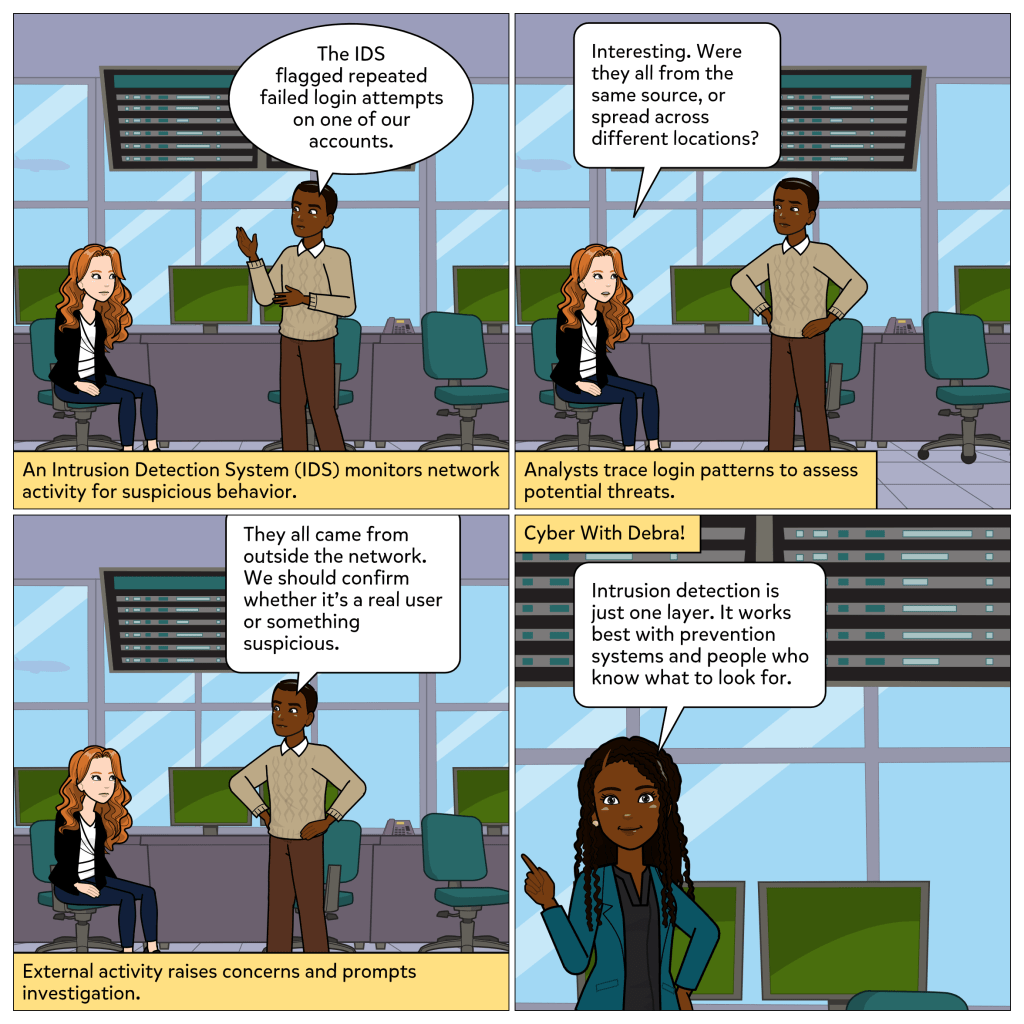
  • Intrusion Detection Systems, or IDS, are like the watchful eyes of a network. They do not block traffic the way firewalls do, but they carefully monitor what is coming in and going out. The goal is to spot signs of suspicious or harmful activity and raise the alarm so that security teams can respond.

    In this week’s comic, the IDS flags repeated failed login attempts on one of the accounts. Brittany asks the right question. Were the attempts coming from the same source or spread across different locations. Ray checks and sees they all came from outside the network. That kind of pattern raises a concern. Debra brings it together, reminding us that intrusion detection is just one layer. It works best when combined with prevention systems and people who know what to look for.

    What this means for network security
    An IDS is not a wall. It is a sensor. It pays attention to behavior like login activity, changes in traffic patterns, file access, and more, and alerts when something does not match what is expected. That visibility is important because not every threat gets stopped at the door.

    Sometimes attackers get in through stolen credentials or by hiding inside normal-looking traffic. That is where detection matters. IDS helps identify the things that might otherwise go unnoticed.

    It plays a different role from other tools in the network security toolbox. Firewalls are about control. Encryption is about confidentiality. Traffic analysis is about patterns. IDS is about awareness.

    And when something suspicious is spotted, analysts step in. They investigate the alert, look at the surrounding activity, and decide whether a response is needed. That human layer is just as important as the technical one.

    Working together with other tools
    Intrusion detection is most powerful when it is part of a bigger picture. It works well with systems that prevent, systems that respond, and systems that recover. That includes intrusion prevention systems, endpoint protection, logging tools, and response plans.

    When combined, these tools and practices create defense in depth. Even if one layer misses something, another can catch it. IDS plays a key part in that because it shows what is happening in real time and provides context that helps teams make informed decisions.

    Everyday takeaway
    Think of it like a security camera in your home. It will not stop someone from trying the door, but it will let you know if something unusual is happening so you can act. That alert can make all the difference in catching problems early and keeping the rest of your defenses strong.

    Intrusion detection is awareness. Awareness is control. And in security, control makes all the difference.

    Thank you for reading. I hope you have subscribed. Let me know in the comments what part of the series has stood out to you the most. 😃

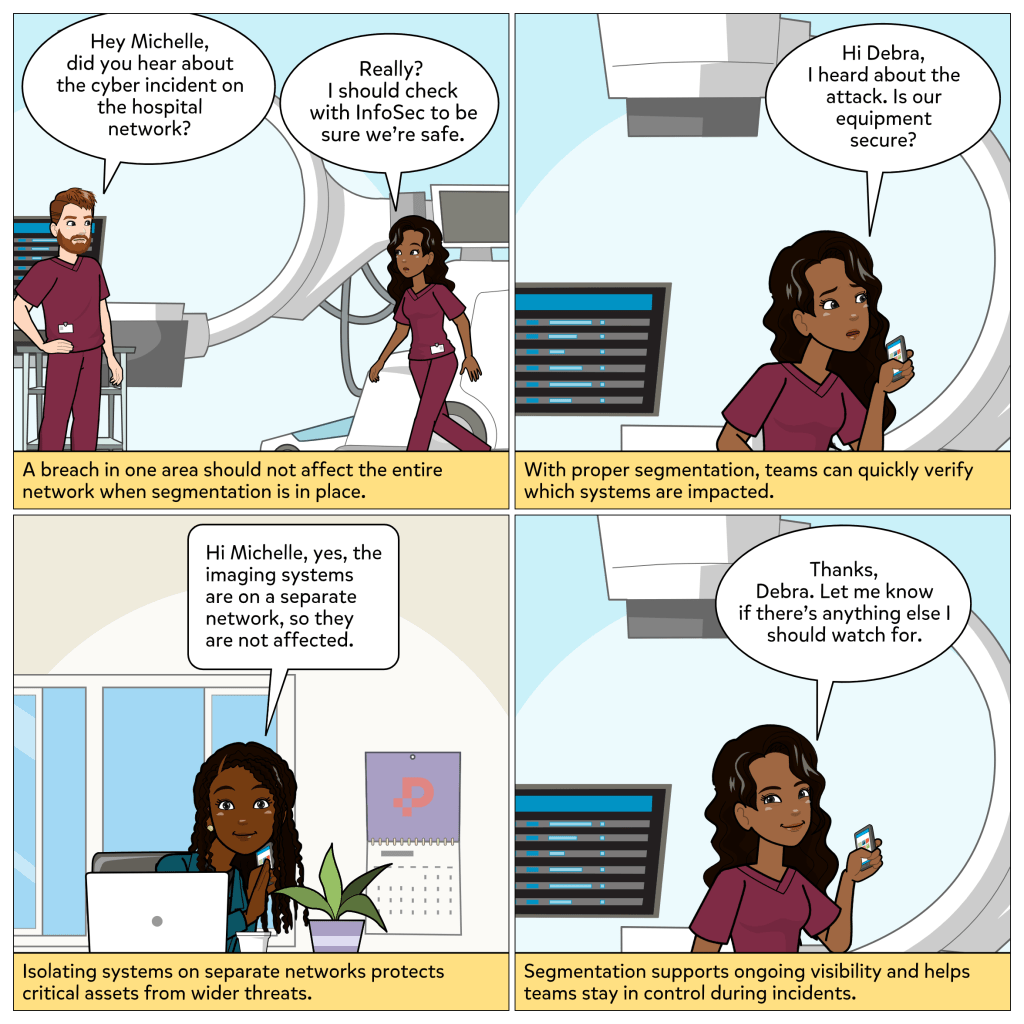
  • In our latest comic, Michelle hears about a cyber incident on the hospital network. Naturally, she is worried about whether the imaging equipment she works with is safe. A quick call to Debra clears things up: the imaging systems are on their own separate network, so they are not affected by the attack.

    That is the idea behind network segmentation.

    What segmentation means in everyday terms
    Think of a building with many rooms. If a fire breaks out in one room and there are no fire doors, the flames can spread everywhere. But if each section has its own fire doors, the damage can be contained and people in other rooms stay safe.

    Network segmentation works the same way. Instead of everything being wide open on one large network, systems are split into smaller, isolated zones. That way, if one part is attacked, it does not automatically spill over into everything else.

    The benefits for network security
    Segmentation makes life harder for attackers and easier for defenders. Some of the key benefits include:

    • Limiting damage: A ransomware outbreak in one department does not mean the whole organization goes down.
    • Protecting critical systems: Sensitive equipment, databases, or payment systems can be walled off from more exposed areas like guest Wi-Fi.
    • Improving visibility: When networks are separated into smaller pieces, it is easier to monitor what belongs and spot what does not.
    • Buying time to respond: Containment slows down attackers and gives defenders a chance to act before more harm is done.


    Network segmentation is a vital part of defense-in-depth. While it doesn’t eliminate risk, it helps contain breaches and protect critical systems. Always pair it with strong access controls and continuous monitoring.

    Everyday takeaway
    Segmentation may not sound flashy, but it is one of the simplest ways to strengthen defenses. It makes sure that a problem in one area stays in that area. Just as fire doors keep flames from spreading, segmentation keeps cyber incidents from jumping across the network.

    Thanks for being here. I hope you have subscribed, and I would love to hear your thoughts in the comments. 💛

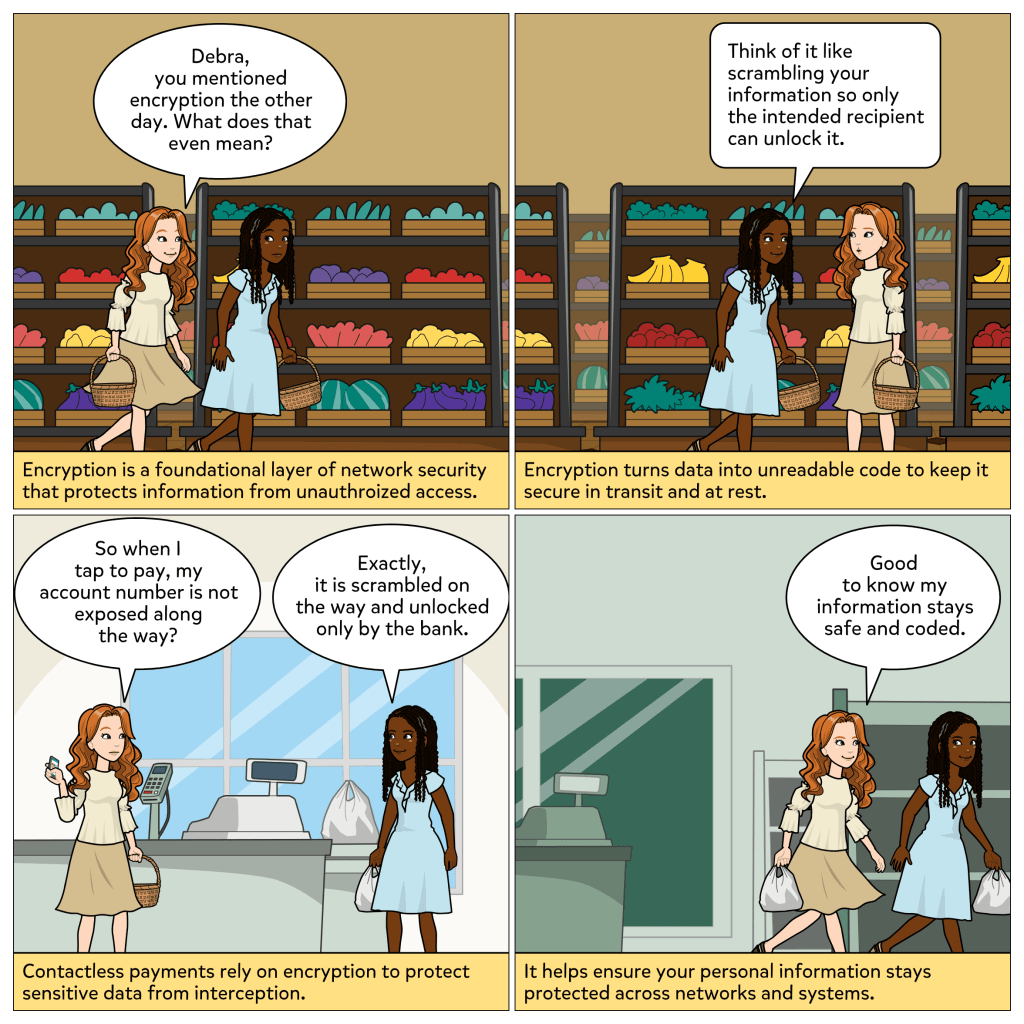
  • We all use encryption every day, often without realizing it. It is at work when you tap to pay for groceries, when you check your bank account online, and when you send a message through a secure app. It is one of those invisible protections that keeps modern life moving.

    In our latest comic, Brittany asks Debra what encryption really means. Debra explains it as scrambling information so only the intended recipient can unlock it. Brittany makes the connection: when she taps to pay, her account number is not exposed along the way. Debra confirms that encryption shields the details in transit and only the bank can read them. The reassurance is clear: encryption keeps sensitive data protected, coded, and usable only by the right system.

    What encryption means for network security

    Encryption is a foundational layer of network security. It protects information in three critical states:

    • In transit: while your data is moving across networks, like payments or messages.
    • At rest: when information is stored on devices or servers, like medical records or saved files.
    • In use: while data is being actively processed by applications.

    Even if attackers find a way to access the traffic, the storage, or the system while it is running, encryption keeps the contents locked and unreadable.

    Without encryption, these moments become open doors for attackers. A payment could be intercepted, a stolen laptop could reveal its files, or even live processing could be exploited. With encryption in place, the data is useless to anyone without the right key.

    A healthcare lens

    Think about a hospital. Patient records move constantly: from bedside monitors to nursing stations, from labs to doctors’ devices, from storage systems to billing. Encryption ensures that if those records are intercepted in transit, they cannot be read without the right access. That same protection extends to storing medical histories, processing lab results, or accessing imaging scans. Without encryption, sensitive data would be far too easy to exploit.

    Everyday takeaway

    Encryption is not just for banks or big organizations. It is built into the services we rely on, from shopping to messaging to healthcare. It means that your data is not simply sitting exposed, even if someone tries to grab it midstream.

    Encryption gives everyday transactions the shield they need. The stronger and more consistent the shield, the safer our information stays across networks and systems.

    Thank you for being here. I hope you have subscribed. Let me know in the comments what stood out to you the most. 😊

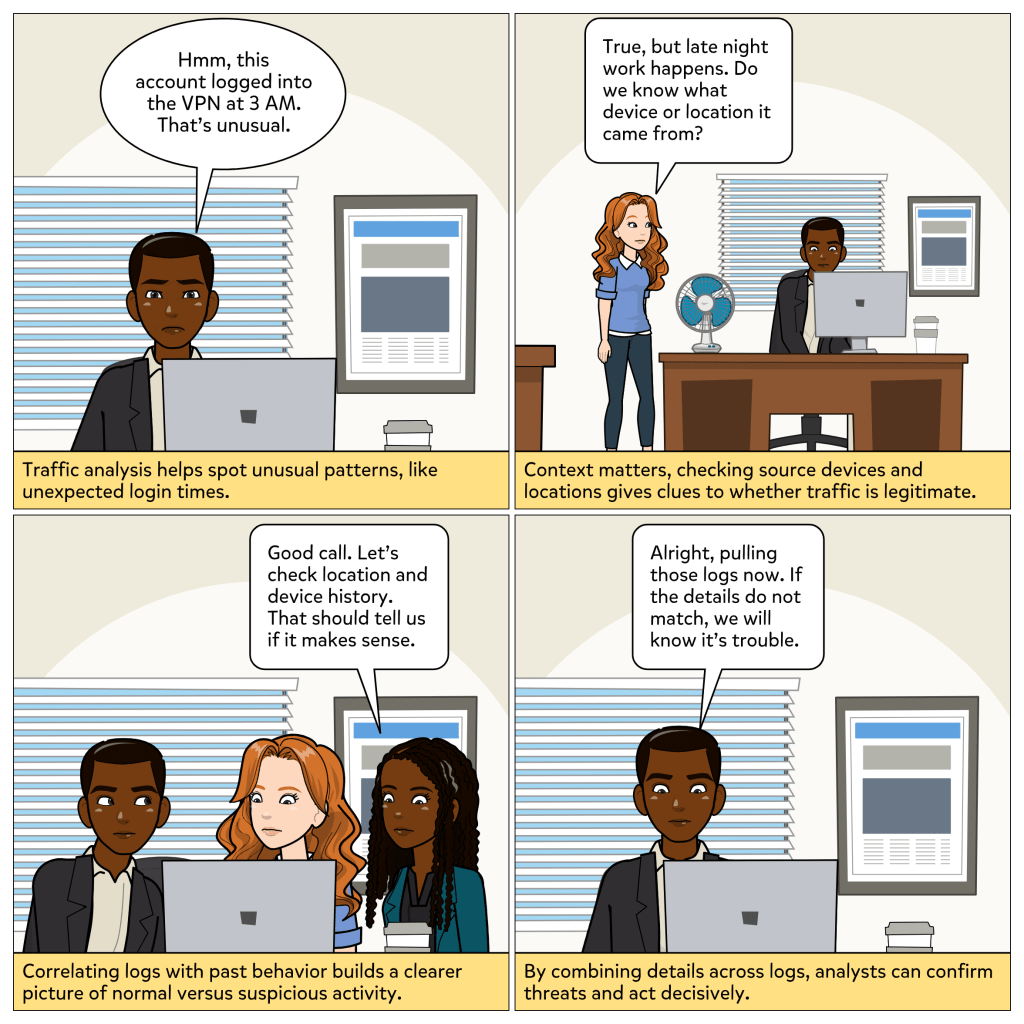
  • Ray notices something unusual in the logs. A VPN login from a finance account shows up at 3 AM. That is odd enough to raise an eyebrow, but unusual timing by itself does not always mean trouble.

    Brittany points out the obvious: sometimes people really do work late. The real question is what else the logs reveal. Was the login from a trusted device? Did it come from a normal location? That is where context becomes key.

    Debra joins in and suggests checking location and device history. If they align with what is expected, the login is likely fine. If not, it could be an early signal of a compromise. This step of traffic analysis is about connecting different pieces, timing, devices, and past patterns, to see whether an event fits normal behavior.

    Ray begins pulling the details together. By correlating logs and cross checking patterns, the team can separate a harmless late night login from something suspicious. When the information does not match, it is a clear sign to investigate further and act quickly.

    What this means for network security

    Traffic analysis is a core practice in network security. It is not about looking at one number or one log in isolation. Instead, it examines how data flows, when people connect, from where, using which devices, and whether the activity makes sense in context.

    For example, a login at 3 AM from an employee who is traveling might be perfectly fine. But if the same login comes from an unfamiliar device in a location the company has no ties to, that is a red flag. By piecing together multiple signals, traffic analysis builds a picture of what normal looks like and spots when something does not belong.

    A healthcare lens

    In hospitals, traffic analysis plays a similar role. Imagine an infusion pump that usually sends status updates once every hour. If suddenly the pump begins sending thousands of messages per minute, that traffic pattern is suspicious. It could mean a malfunction, or worse, that the device is being exploited.

    Another example is electronic health record access. A nurse may normally log in from the same workstation during their shift. If the system sees a login from a different city or from multiple devices at once, traffic analysis can flag it as abnormal. In environments where every second matters, spotting these irregularities can prevent both patient safety issues and data breaches.

    Everyday takeaway

    Not every unusual activity is a threat, but ignoring small signs can give attackers an open door. Traffic analysis helps teams tell the difference between a late night of work and a suspicious login attempt.

    Awareness of normal patterns is the first step. The more clearly you can read between the lines of your network traffic, the stronger your defense becomes. 💪🏾